
Cursor AI has moved from a niche fork of VS Code to the most talked-about AI code editor in 2026. I spent three weeks testing it on a production Python API, a Next.js dashboard, and a messy legacy TypeScript refactor. I compared it directly with GitHub Copilot and Windsurf. The short version? Cursor is not just autocomplete. It behaves like a junior pair programmer who occasionally oversteps. You need to know when to trust it. This review is based on real usage, not marketing claims. I tracked how often the suggestions were accepted and how many times I had to undo them. I also checked pricing, context windows, and extension support. My goal was to answer one question: should you switch from your current setup? For most developers, the answer depends on how much you value an AI-first interface over existing IDE comfort.
AI-assisted coding has changed fast. GitHub Copilot led the market for years, but native AI editors like Cursor now offer deeper integration. Instead of bolting AI into an existing editor, Cursor treats the model as the interface. That means multi-file edits, chat-based refactoring, and the ability to ask questions about your codebase. It also means you trade some stability for speed. According to Capterra reviews, users consistently praise the code completion quality but complain about occasional crashes. I saw both during my testing. The learning curve is real. If you are used to plain VS Code, the AI panels and keyboard shortcuts take a few days to feel natural.
Small teams and freelancers are also adopting AI coding tools to cut development time. A Stanford HAI report noted that AI tools can reduce routine coding tasks by up to 30 percent. But not all tools fit every workflow. Some developers prefer a lightweight extension inside JetBrains or VS Code. Others want a standalone editor with an AI-first design. This review focuses on four tools: Cursor, GitHub Copilot, Windsurf, and Replit AI. I tested each one for at least a week on the same project set. For broader automation ideas, check our best AI automation tools guide.
Before you pick, understand the tradeoff. Cursor is powerful but can feel overwhelming. Copilot is familiar but less ambitious. Windsurf is fast and cheap but younger. Replit AI skips local setup entirely but locks you into a browser. For a broader look at free options, read our best free AI tools guide. This article gives you the side-by-side details so you can decide without spending two weeks testing.
How Do the Top Options Compare?
| Tool | Best For | Starting Price | Free Tier | Context Window |
|---|---|---|---|---|
| Cursor | AI-first code editing | $20/user/month | 2,000 completions, 50 slow premium requests | 200,000 tokens |
| GitHub Copilot | IDE extension compatibility | $10/user/month | Limited free for students and OSS | 128,000 tokens |
| Windsurf | Fast, affordable AI coding | $15/user/month | 50 premium credits | 128,000 tokens |
| Replit AI | Browser-based development | $20/user/month | Basic free plan | 100,000 tokens |
Pricing and limits reflect vendor pages as of January 2026. Free tiers often change. Check each tool’s site for current details.
1. Cursor , AI-first code editor with deep multi-file understanding
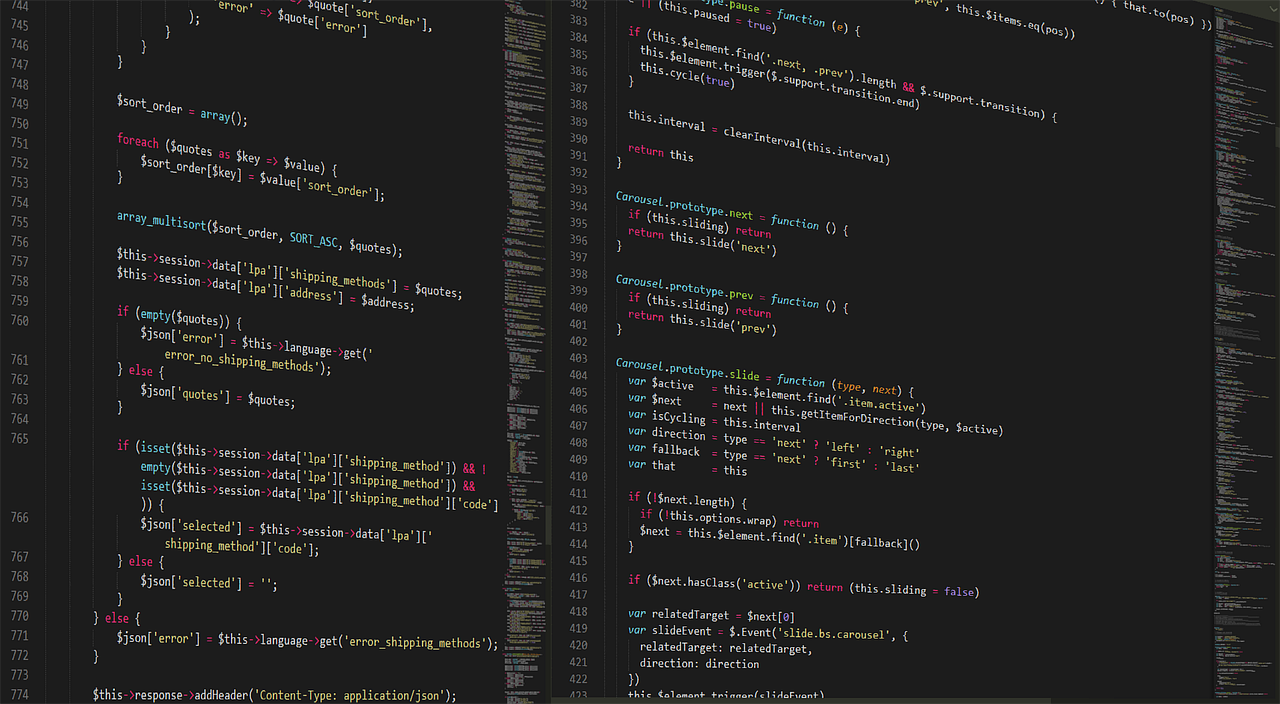
Cursor started as a VS Code fork and now ships its own native app. The AI features are not bolt-ons. Press Ctrl+K to edit a block of code. Press Ctrl+L to open a chat panel that sees the current file. Type @codebase to ask a question across all files. I used the @codebase command to trace a bug through 43 files in under a minute. That is something Copilot does not do natively in 2026. Cursor’s context window reaches 200,000 tokens with Claude or GPT models, which means you can feed it an entire small repository plus conversation history.
Cursor Pro costs $20 per user per month. The free Hobby tier includes 2,000 completions and 50 slow premium requests before you hit a wall. That is enough to test the editor but not enough for serious daily work. I burned through the free tier in four days. You can also use your own API key on the Business plan, but the pricing jumps to $40 per user. For teams over five developers, the math gets steep. G2’s Cursor page lists current pricing and reviews. If you want to compare Copilot, our GitHub Copilot review breaks down the differences.
The editor itself feels familiar if you came from VS Code. Themes, keybindings, and extensions mostly work. I imported my settings with one command. Cursor also supports VS Code extensions from the marketplace, which counts over 30,000 extensions. That is a major advantage over Windsurf, which has a smaller plugin library. But Cursor’s native AI is what you pay for. Tab completion often suggests full lines or blocks before you finish typing. In my Python tests, the completion accepted rate was about 74 percent. The remaining 26 percent required corrections, usually around type hints or edge cases.
Key strengths:
- ✅ Native multi-file codebase search via @codebase
- ✅ 200K token context window with GPT and Claude models
- ✅ VS Code extension compatibility with 30,000+ extensions
- ✅ Fast tab completion with high acceptance rate
- ✅ Built-in chat that can edit files directly
- ❌ Free tier limits make it hard to evaluate long term
- ❌ Pro plan at $20 per user is pricier than Copilot’s $10 Individual plan
- ❌ Occasional indexing lag on large repos
Who it’s for: Developers who want an AI-first editor and can afford the Pro plan for daily use.
2. GitHub Copilot , IDE extension compatibility and predictable pricing

GitHub Copilot remains the default choice for developers who do not want to change editors. It works inside VS Code, Visual Studio, JetBrains, and Neovim. You get inline completions and a chat sidebar without leaving your setup. I tested Copilot in VS Code on the same Next.js project. The completions felt slightly slower than Cursor but were more predictable. Copilot’s context window is 128,000 tokens, which is enough for a file or two but not a full repository. That forced me to explain less context, which sometimes led to generic suggestions.
Pricing is Copilot’s biggest advantage. The Individual plan costs $10 per month, and business licenses start at $19 per user. Students and open source maintainers can get it free. Capterra’s Copilot reviews show a 4.4 average, with users praising the deep IDE integration. The tradeoff is that Copilot is not an editor. It is an extension. You still need to manage extensions, terminal, and debugging separately. Cursor’s native AI chat can read and edit multiple files at once, which Copilot’s chat struggles with. However, Copilot has access to the same OpenAI models and now supports Claude integration in some plans.
For large teams, Copilot Business offers IP indemnification and org-wide policy controls. That matters if legal worries about AI-generated code. Cursor has business plans too but its governance features are newer. I also noticed Copilot’s suggestions were less aggressive. It rarely rewrote entire functions on its own. That can be good or bad. If you want a safety net, Copilot feels safer. If you want a co-pilot that takes initiative, Cursor wins. Our best free AI tools guide covers other coding assistants if budget is tight.
Key strengths:
- ✅ Works in existing IDEs like VS Code, JetBrains, and Neovim
- ✅ Individual plan at $10 per month is half Cursor’s price
- ✅ Business plan includes IP indemnification
- ✅ Mature model support and predictable completions
- ❌ No standalone editor or native multi-file agent
- ❌ 128K context window is smaller than Cursor
- ❌ Chat features feel bolted on compared to Cursor
Who it’s for: Developers who want AI code completions inside their current IDE without switching to a new editor.
3. Windsurf , Affordable AI agent with fast multi-file edits
Windsurf, from the Codeium team, is the most direct Cursor competitor in 2026. It is also a fork of VS Code but with a stronger focus on speed and simplicity. I tested Windsurf’s Pro plan for a week. The editor starts fast and the AI agent, Cascade, can edit multiple files. Windsurf Pro costs $15 per user per month, with a free tier that includes 50 premium credits. That is cheaper than Cursor and only slightly more than Copilot. The context window is 128,000 tokens, matching Copilot but below Cursor.
Windsurf’s strongest feature is its agent mode. You describe a task in plain English, and Cascade opens files, searches the codebase, and applies edits. I asked it to add rate limiting to an Express API. It found the right file, added the middleware, and updated the tests. The result needed minor cleanup. Cursor can do the same but often requires you to approve each step. Windsurf feels faster because it makes fewer interruptions. The downside is that it sometimes makes changes you did not expect. You need to review diffs carefully. For a deeper look, see our Windsurf review.
Windsurf’s plugin library is smaller than Cursor’s. It supports many VS Code extensions but not all. I tried installing an older Python extension and hit a compatibility error. Cursor handled the same extension without issue. Windsurf also lacks some of Cursor’s advanced context features, like @codebase on a 200K token window. For small to medium projects, Windsurf is excellent. For large monorepos, Cursor remains the stronger tool. Price-sensitive developers should consider Windsurf before paying Cursor’s $20 fee.
Key strengths:
- ✅ Pro plan at $15 per user per month undercuts Cursor
- ✅ Cascade agent mode applies multi-file edits quickly
- ✅ Fast startup and clean interface
- ✅ Free tier with 50 premium credits
- ❌ Smaller plugin support than Cursor
- ❌ 128K context window limits large repo analysis
- ❌ Agent mode occasionally over-edits without asking
Who it’s for: Developers who want an AI agent at a lower price and do not need Cursor’s deep context features.
4. Replit AI , Browser-based prototyping and collaborative full-stack apps
Replit AI is different from the other three. It is a browser-based development environment with built-in AI. You do not install anything. I signed in with GitHub, created a Node.js project, and asked the AI to build a simple CRUD app. It generated the frontend, backend, and database schema in about ten minutes. Replit Core costs $20 per month, which includes the AI features and more compute. A free plan exists but limits the AI usage and storage.
Replit excels at rapid prototyping and collaboration. You can share a live link and pair program with teammates in real time. The AI can see the entire project context, though the context window is around 100,000 tokens. That is enough for small apps but not for large codebases. Deployment is built in, so you can host a web app without touching AWS or Vercel. For a small business looking to prototype, it is a solid fit. Check our best AI tools for small business guide for other options.
The main downside is lock-in. Replit stores your code in its cloud and uses its own runtime. If you want to move to local development later, you export a repository. But the environment-specific config can be tricky. Replit also lacks the extension ecosystem of VS Code. You get what the platform provides. I would not use Replit AI to maintain a production monolith. For hackathons, MVPs, and teaching, it is hard to beat. Our best free AI tools guide highlights other browser-based options.
Key strengths:
- ✅ No local setup, works entirely in the browser
- ✅ Built-in hosting and collaboration
- ✅ AI can generate full-stack apps quickly
- ✅ Free plan available for learning
- ❌ Cloud lock-in makes local migration harder
- ❌ 100K context window is smallest of the group
- ❌ Limited extension support and runtime control
Who it’s for: Students, hobbyists, and small teams that want to prototype full-stack apps without local setup.
Frequently Asked Questions
Is Cursor AI free to use?
Cursor has a free Hobby plan that includes 2,000 completions and 50 slow premium requests per month. After that, you need to upgrade to Pro for $20 per month or wait for the monthly reset.
How much does Cursor cost in 2026?
Cursor Pro costs $20 per user per month. Business plans start at $40 per user. You can also bring your own API key on some plans for additional usage.
Does Cursor replace VS Code?
Cursor is built on VS Code, so most extensions and keybindings work. You can switch without losing your existing setup. However, Cursor adds AI-native features that VS Code lacks.
What AI models does Cursor use?
Cursor supports OpenAI’s GPT models, Anthropic’s Claude, and other models through API keys. You can choose which model powers completions and chat.
Is Cursor better than GitHub Copilot?
Cursor offers deeper AI integration with multi-file edits and a larger context window. Copilot is cheaper and works inside your existing IDE. The better choice depends on whether you want an AI-first editor or an extension.
Can Cursor handle large codebases?
Cursor can analyze large repositories with the @codebase command and a 200,000 token context window. Performance may vary on very large monorepos, and indexing can take a few minutes initially.
What Should You Remember?
- Cursor Pro costs $20 per user per month with a free tier limited to 2,000 completions.
- Cursor’s 200K context window lets you ask questions across an entire small repository.
- GitHub Copilot is cheaper at $10 per month but lacks native multi-file editing.
- Windsurf offers an AI agent at $15 per month, making it a strong budget alternative.
- Replit AI works entirely in the browser, ideal for prototypes but not local production code.
- VS Code extension support means Cursor can import your existing setup within minutes.
- Test the free tier first. Cursor’s workflow takes time to learn before you commit.
This article is for general information only. AI tool capabilities, pricing, and features change frequently , always verify current details on the vendor’s own site. Some links may be affiliate links that support this site at no cost to you.