HeyGen turned a demo trick into a real production tool. In 2023 it was the company that cloned a face and swapped in a Mandarin voice track. By 2026 it ships a browser editor that marketing teams use for onboarding videos, ad variations, and localized training content. The pitch is simple. Type a script, pick an avatar, get a finished video in about six minutes with no camera, no studio, and no second take. The catch is that HeyGen is no longer alone. Synthesia, D-ID, Captions, and Colossyan all sell a version of the same promise, and the differences that actually matter are boring and practical: credit math, consent rules, export limits, and how badly the lips move on the letter M.
I tested the free tiers of each tool and paid for month-long subscriptions on two of them. The test scripts were deliberately awkward: a 140-word product explainer, a two-minute compliance clip, and a 30-second vertical ad built for Reels. I logged render times, counted how many finished minutes each dollar bought, and checked whether each platform would let me export 1080p without a watermark. I also read the vendor pricing pages and third-party review profiles, because the numbers on a sales page rarely match the numbers on your invoice. That is the same method behind our AI video tools guide and our video generator roundup, where the ranking shifts the moment you compare real credit costs instead of feature checklists.
Demand explains why so many vendors crowded in. Stanford HAI reports that 78% of organizations used AI in 2024, up from 55% a year earlier, and a growing slice of that shows up as internal video. Cost is where these products separate. HeyGen’s free plan allows 3 videos per month, each capped at 3 minutes, watermarked and rendered at 720p. Synthesia’s free plan gives you 3 minutes of finished video per month, which sounds similar until you realize every re-render eats the meter. D-ID’s trial runs 5 minutes total and then stops. Once you pay, the numbers climb fast, and the entry tiers all land near the same mark.
The link between avatar video and writing tools is closer than it looks. Most teams draft the script in ChatGPT or Claude, paste it into HeyGen, then wonder why the delivery sounds flat. That problem is not the avatar. It is the copy. We cover the fix in our piece on why AI writing sounds robotic, and the same rules apply to a 90-second explainer: short sentences, concrete nouns, one idea per line. If the script reads well out loud, a HeyGen avatar will sell it. If it reads like a press release, no amount of lip-sync polish will save it.
How Do the Top Options Compare?
| Tool | Best For | Free Tier | Starting Paid Price | Languages | Standout Feature |
|---|---|---|---|---|---|
| HeyGen | Marketing and ad video | 3 videos per month, 720p, watermark | $29/mo (Creator) | 175+ | Instant avatar plus lip-synced translation |
| Synthesia | Training and compliance | 3 minutes of video per month | $29/mo (Starter) | 140+ | SCORM export and brand kits |
| D-ID | API and talking photos | 5-minute trial | About $6/mo | 120+ | Real-time streaming agents |
| Captions | Short-form social clips | Free plan with export limits | $9.99/mo (Pro) | 28+ for dubbing | Auto captions and eyeline correction |
| Colossyan | Learning teams on a budget | Free trial plan | About $19/mo | 70+ | Branching scenarios and in-video quizzes |
Prices reflect entry-level paid tiers listed on each vendor’s site in early 2026 and assume annual billing where a discount exists. Monthly billing costs more on every platform here. Credit and minute systems change often, so confirm the current allowance on the pricing page before you commit to an annual plan. Language counts are vendor-stated and vary by feature, since translation and dubbing coverage are usually smaller than the total interface language list.
1. HeyGen , Best for marketing teams that need fast avatar video at scale
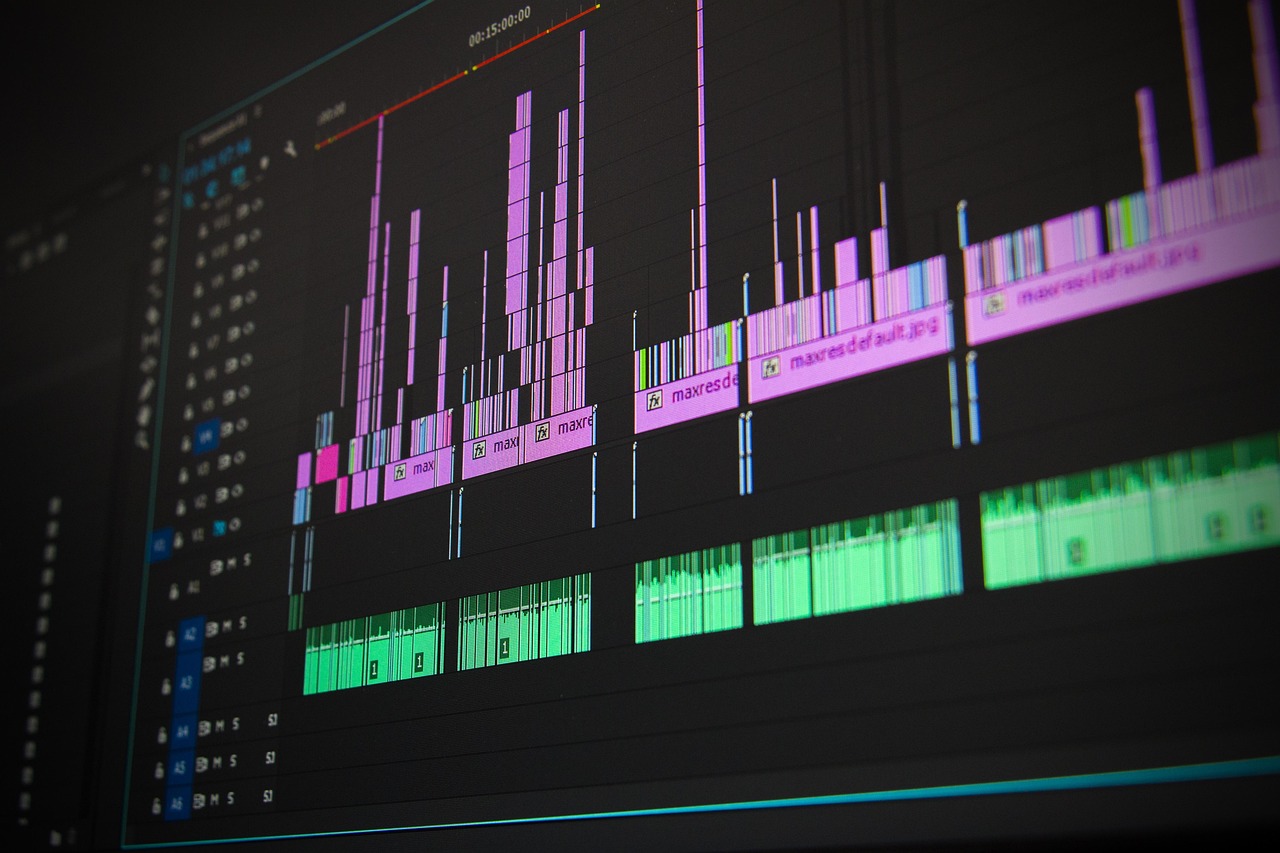
HeyGen is the tool most people picture when they hear AI avatar video. You upload or record a short clip, and the platform builds a talking digital twin that reads any script you paste in. The editor is a timeline made of text blocks, so you can change a word in scene 4 without re-recording anything. For ad teams this matters a lot. One 60-second master script becomes five hooks, three thumbnail frames, and a Spanish version without booking a studio or coordinating a presenter’s calendar.
The localization feature is the reason agencies pay for it. You pick a source video and a target language, and HeyGen re-renders the mouth movements to match the new audio instead of dubbing over the old ones. The result is not perfect. Fast speech and heavy consonants expose the seam, and a rapid-fire script with dense jargon will look slightly off in every language. For a product demo or a talking-head explainer, it holds up well enough to publish publicly.
Pricing is credit-based, and the free tier is a demo rather than a plan. Three videos per month, 3 minutes maximum, 720p, watermark on every export, and no access to the better avatars. The Creator tier at $29 per month removes the watermark, raises resolution, and adds stock avatars plus one personal avatar. Teams that need brand kits, multiple seats, and approval flows pay more. Review profiles on G2 show the recurring complaint is the same everywhere: credits expire, and re-renders burn them faster than anyone expects.
Where HeyGen wins is speed and flexibility. A script written in ChatGPT can go from doc to finished 1080p video in under 15 minutes, which is faster than most teams can schedule a single Zoom recording. Pair it with a tight script and the output looks like a real shoot. Pair it with a bloated one and you get a very polished avatar reading a paragraph nobody will finish. Our brand voice guide covers the writing half of that equation if you want the avatar to sound like a person.
Key strengths:
- ✅ Fast turnaround: a 90-second script renders in roughly 10 to 15 minutes.
- ✅ Instant avatar creation from a short webcam clip, with no studio or lighting setup.
- ✅ Translation with matched lip movement across 175+ languages.
- ✅ Text-based timeline editing means a script fix never triggers a re-shoot.
- ✅ API access for teams that want to generate video straight from a CMS.
- ❌ Free plan caps you at 3 videos per month with a visible watermark.
- ❌ Credits drain quickly on longer videos because every re-render counts.
- ❌ Custom avatar setup requires a consent recording and identity verification, which slows onboarding.
Who it’s for: Marketing teams and solo creators who need polished presenter video without a camera, a studio, or a film crew.
2. Synthesia , Best for corporate training and compliance video
Synthesia sells the same core idea to a different buyer. Its customers are L&D departments, HR teams, and enterprise compliance groups who need 40 training videos in six languages and cannot film any of them. The pitch is consistency over personality. Every avatar wears the same neutral expression, every template follows a fixed layout, and every video comes out looking like it belongs to the same company. That predictability is the product.
The free plan allows 3 minutes of finished video per month. Starter lists at $29 per month on annual billing and includes 120 minutes per year, so roughly 10 minutes a month. Re-renders count against that total. A team revising a 6-minute module five times has spent 30 minutes of the yearly budget on a single video. Enterprise plans are quote-only and add SCORM export, single sign-on, approval workflows, and a larger library of custom avatars.
The avatar library is the strongest reason to pay. More than 240 stock presenters, 140+ languages, and templates built specifically for onboarding, policy updates, and software walkthroughs. The tradeoff is expression. Avatars hold a professional half-smile and the gestures loop on longer scripts, so a five-minute module will visibly repeat a hand movement. On a compliance clip that reads as trustworthy. On a product launch ad it reads as a stock photo with a voice track.
Third-party review data backs up that pattern. Capterra reviewers consistently praise the template library and mention render queues during peak hours. Buy Synthesia when you need a completion record that proves who watched the training and when. Do not buy it when you need a vertical ad that stops a scroll.
Key strengths:
- ✅ Largest stock avatar library in this comparison, with 240+ presenters.
- ✅ SCORM export and LMS tracking built for compliance requirements.
- ✅ Brand kits keep fonts, colors, and logos consistent across a whole team.
- ✅ Templates cover onboarding, policy updates, and software walkthroughs out of the box.
- ❌ Avatars look corporate, and gestures repeat visibly on longer scripts.
- ❌ Starter’s 120 minutes per year runs out fast once you start revising.
- ❌ Enterprise pricing is quote-only, so budgeting requires a sales conversation.
Who it’s for: Training, HR, and compliance teams that need tracked, multilingual modules more than they need personality.
3. D-ID , Best for developers who want talking-head video via API
D-ID started as a photo animation tool and grew into an API company. You hand it a still image and an audio file, and it returns a talking-head clip. There is a browser studio for non-developers, but the real product is the endpoint. If your pipeline already generates audio from a text-to-speech service, D-ID is the cheapest way to attach a face to it at volume.
That is also why it is the least expensive option on this list. Paid access starts near $6 per month on an annual plan, and each credit buys a short clip. The visual result sits closer to a photo that moves than a person on camera. Eyes blink, lips move, shoulders stay still. For a support widget, a personalized outreach message, or a product page greeting, that is enough. For a polished brand film, it is not.
D-ID Agents stream in real time, and that feature separates it from everything else here. You can place a talking face on a website and let it answer questions with a live voice reply. Latency is noticeable in conversation and the uncanny feeling never fully disappears, but nothing else in this comparison ships that in a browser tab without custom engineering.
Free access is a 5-minute trial, so you can test the API before you commit. If you need a tool you can hand to a marketing intern on day one, look elsewhere. If you write code and want to automate video generation, the free AI tools roundup is a good place to compare trial limits across vendors before you pick a stack.
Key strengths:
- ✅ Cheapest entry point here, with paid plans starting near $6 per month.
- ✅ API-first design fits automated pipelines and personalized outreach at scale.
- ✅ Agents stream a talking face in real time inside a browser.
- ✅ Photo animation works from a single still image with no video source.
- ❌ Motion looks stiff next to HeyGen or a real camera shoot.
- ❌ Free access is only a 5-minute trial, which disappears in one test run.
- ❌ The browser studio is clearly secondary to the API and feels unfinished.
Who it’s for: Developers and product teams who want to bolt talking-head video onto an existing automated workflow.
4. Captions , Best for short-form social video on a small budget
Captions is not an avatar-first company. It is a short-form video editor that added avatars, and that origin shows in every menu. You record or upload a clip, and the app cuts silences, adds burned-in captions, corrects your eyeline, and dubs the result into other languages. The editing workflow is built for someone posting daily, not for someone producing a quarterly training module.
The AI avatars are the weakest part of the package. They exist, they work, and they look like avatars. The strength is everything around them: captions that match timing instead of drifting, a teleprompter that keeps your eyes close to the lens, and dubbing across 28+ languages. If you already have a face and a phone, that combination beats a synthetic presenter for social platforms.
Pricing undercuts the enterprise tools by a wide margin. The Pro tier lists at $9.99 per month, and there is a free plan with export limits for people testing the waters. For a solo creator shipping vertical clips four times a week, that math beats $29 per month for a tool you open twice a month.
Script quality still decides the outcome. A tight 45-second script plus Captions editing beats a bloated 3-minute script plus a premium avatar every single time. That is the same lesson behind our best AI writing tools rankings, where the editing layer matters less than the words you feed it.
Key strengths:
- ✅ Pro tier at $9.99 per month undercuts every avatar-first tool here.
- ✅ Auto captions and silence removal are the strongest in this comparison for short clips.
- ✅ Eyeline correction makes phone footage look deliberate and produced.
- ✅ Dubbing covers 28+ languages without a separate subscription.
- ❌ AI avatars are basic compared with HeyGen or Synthesia.
- ❌ Free plan limits export resolution and total videos.
- ❌ Not built for long training modules or LMS tracking.
Who it’s for: Solo creators and social media managers who post vertical video every week and want editing help more than synthetic presenters.
5. Colossyan , Best for learning teams on a tight budget
Colossyan aims at the same training buyer as Synthesia but charges noticeably less. The hook is interactive video. You can drop a quiz into the middle of a clip, pause for a poll, or branch viewers down different paths based on the answer they pick. For a 20-minute onboarding module that has to prove comprehension, that matters more than photoreal skin texture.
Avatar quality trails the leaders. Backgrounds are flatter, the lighting is less convincing, and the gesture library is small enough that you will spot repeats in any script longer than three minutes. The free plan works as a genuine trial rather than a permanent tier, and paid plans start around $19 per month on annual billing with a minute allowance that scales by seat.
Translation covers roughly 70 languages, and the platform can swap a presenter mid-scene. That is genuinely useful when one narrator handles the welcome message and a subject-matter expert handles the technical section, without producing two separate videos and stitching them together in another editor.
For lean teams producing internal documentation, the tradeoff is straightforward. You give up polish and gain interaction at roughly two thirds the price of the better-known names. If budget is the deciding factor, our guide to AI tools for small business looks at where tools like this fit alongside the rest of a lean stack.
Key strengths:
- ✅ Interactive quizzes and branching scenarios built into the video itself.
- ✅ Entry pricing near $19 per month on annual billing.
- ✅ About 70 languages with presenter swaps inside a single scene.
- ✅ Simple enough for a non-designer to publish a module in one afternoon.
- ❌ Avatar visuals trail HeyGen and Synthesia in lighting and detail.
- ❌ Small gesture library shows repeats in longer scripts.
- ❌ Fewer enterprise integrations than Synthesia for large LMS setups.
Who it’s for: Small L&D teams and internal documentation groups that need interactive modules without an enterprise contract.
Frequently Asked Questions
Is HeyGen free?
HeyGen has a free plan that allows 3 videos per month, each up to 3 minutes long, rendered at 720p with a watermark. It is enough to test the editor and avatar quality, but not enough to publish on a schedule. Paid plans start at $29 per month.
Is HeyGen better than Synthesia?
For marketing and ad video, yes. HeyGen renders faster and its avatars are more expressive. For compliance training, Synthesia is the safer buy because it exports SCORM packages and tracks who watched the module inside an LMS.
How much does HeyGen cost?
The Creator tier lists at $29 per month on annual billing. That removes the watermark, raises export resolution, and adds a personal avatar. Team plans cost more per seat and add brand kits plus shared workspaces.
Can HeyGen create a video from a single photo?
Yes, through the talking photo feature. Quality depends entirely on the source image. A sharp front-facing photo with even lighting produces a believable clip, while a low-resolution group shot does not.
How long does a HeyGen video take to render?
A one-minute clip usually finishes in 5 to 15 minutes depending on queue length and resolution. Longer scripts and 1080p exports take more time, so batch your renders instead of waiting on each one.
Can I use HeyGen videos commercially?
Yes on paid plans. You still need written permission from any real person whose likeness you clone, and HeyGen requires a consent recording before it will build a custom avatar.
What Should You Remember?
- HeyGen leads on speed: a 90-second script becomes a finished video in about 15 minutes, and the free tier caps you at 3 watermarked videos per month.
- Synthesia wins for training: SCORM export, 240+ stock avatars, and 120 minutes per year on the $29 Starter plan.
- D-ID is the developer pick: paid access starts near $6 per month and the API handles volume far better than its browser studio.
- Script quality decides the result: a bloated script makes every avatar look fake, so fix the copy before you touch the camera settings.
- Under $10 per month: Captions Pro is the best value if your output is vertical social clips rather than long training modules.
- Watch the credit math: re-renders consume minutes, so budget three to five attempts for every finished video you publish.
This article is for general information only. AI tool capabilities, pricing, and features change frequently , always verify current details on the vendor’s own site. Some links may be affiliate links that support this site at no cost to you.